
What Is LinkedIn and Who Is It For?
If you’re in the professional world, whether you just entered the field out of college or have been building your career for decades, you’ve probably heard about the importance of LinkedIn. LinkedIn is the online place to showcase your resume, build career connections, and find new work opportunities, whether you are a freelancer, in a typical 9-to-5, or out of the workforce but still building your brand.
Like many other social media platforms, LinkedIn has a personal profile and a feed for scrolling other people’s posts, making it easy to interact with, even for people new to it. It is also an incredibly fast-growing platform with one billion members across 200 countries.
In the words of LinkedIn, “The mission of LinkedIn is simple: connect the world’s professionals to make them more productive and successful.” That’s the truth! LinkedIn is all about building connections, and this blog is the foundation you need to start leveraging the platform to grow your brand, career, or voice as a thought leader.
So stick around, and we’ll give you everything you need to get started on your profile, build connections, join career groups, and more!
Your Profile Is Your First Impression
In the past, you made a first impression in an interview with prospective employers or organizations. Today, with most professionals on LinkedIn, a polished profile is critical to making a strong first impression as an employee or contractor. That’s why it is critical that your profile gives the best impression of who you are, your experience, your skills, and the types of people you want to work with.
Breaking Down Your Profile Sections
Profile Image
Your header image is the photo that gives visitors to your profile an idea of who you are. Use a recent, professional photo, and update it every few years. When you join a Zoom or Teams call, you want people to recognize you at a glance!
Headline
Your headline is the brief description directly below your profile image. LinkedIn limits this to 220 characters (roughly 30-40 words), so it’s important to keep it concise and direct with the most important titles or experiences you have.
Contact Info
Your contact info, also located near the top of your profile, is where you list how people can reach you. All of these are optional, but you can add:
- Profile URL
- Email Address
- Phone Number
- Website
- Instant Messenger
- Address
- Birthday
At a minimum, we recommend adding your best email address and a professional website link.
About
Your About section is arguably the most important part of your profile. This is where you get to describe who you are, your experience, what you’re passionate about, and where you hope new opportunities will take you.
As you write it, consider what differentiates you in your industry and what unique value you bring to the marketplace. This will help set you apart from other candidates in your industry.
Keep in mind that you are limited to 400-500 words in this section. However, we recommend sticking to the 150-300 word range (in 3-5 short paragraphs) to keep your viewers’ attention. In that section, you should also incorporate effective keywords related to your industry (read more about identifying the right keywords below).
Featured
The Featured section on your LinkedIn profile lets you pin and display your best work. If a post goes viral, you share a major career achievement, or publish a book, you can pin it here as evergreen content for new viewers to see immediately.
Experience
The Experience section is where you’ll stick the information from your resume, essentially. This includes your previous career experiences and your major responsibilities in those positions. If you’re a member of a board, you might consider adding that here too. Keep this updated as your career progresses!
Education
Continuing in the resume-like vein, the Education section is where you’ll put your education, including degrees and certifications.
Skills
The Skills section is where you can list any skills you’ve developed across your educational and professional journey, from writing to business management and countless things in between.
One unique thing about LinkedIn is that you can also receive Endorsements for your skills from other LinkedIn members. This is essentially them recommending you for that particular skill, which is a huge boost for your credibility with recruiters or clients.
Books & Publications
If you’ve written a book (or books) or have work in any publications, you can list those in the Books & Publications section. Updating this section is always a wonderful moment for our publishing or book launch clients!
Articles & Newsletters
LinkedIn also lets users publish long-form articles on their page or a company profile, which can include photos, links, and quotes. People can then directly comment on and engage with your article.
Once you start publishing multiple articles, it can become a newsletter, which followers can subscribe to as you build your community.
Add Focus Keywords Throughout Your Profile
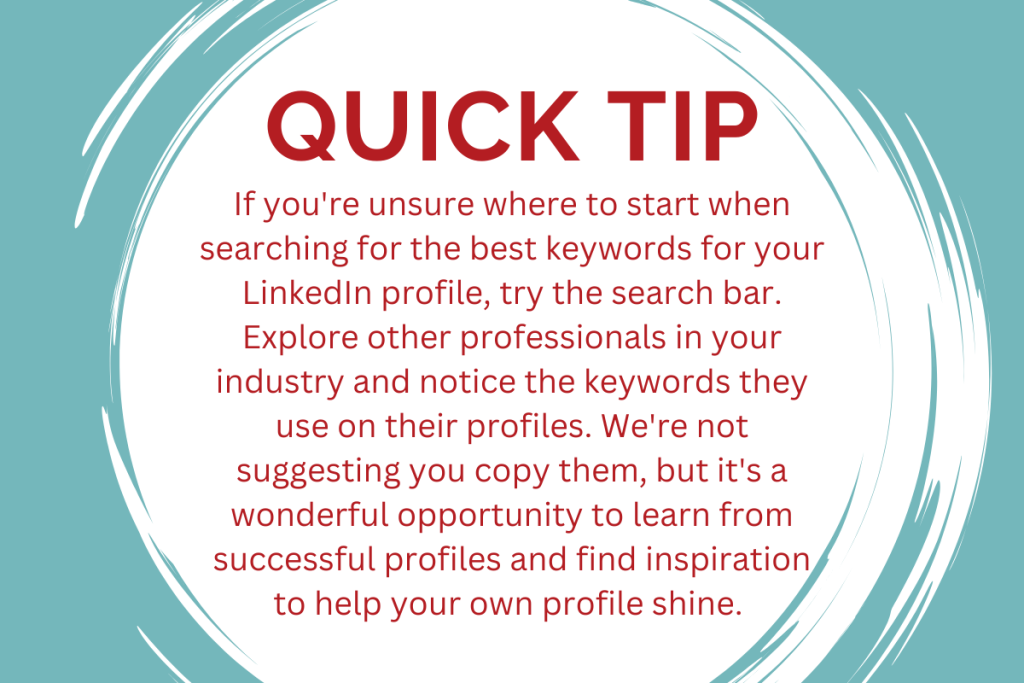
You now have an outline of what you need to do to optimize your LinkedIn profile, but before you start writing, here’s one more tip: Keywords are a critical part of showing up online, and they are just as vital in your LinkedIn profile as anywhere else.
Keywords are essentially the common words or phrases related to your work, skills, or industry that people will type in the search bar to find a professional or build their connections.
For example, if you’re in the interior design industry, you would want to add keywords like head interior designer (your role), restaurant and hotel design (your specialty), expert in 3D visualization (your unique skills), etc.
When selecting the best keywords for your profile, focus on a few key terms that potential searchers might use to find someone like you. Try to incorporate these keywords naturally across all sections of your profile, such as your headline, summary, and experience. While it’s beneficial to include your keywords frequently and in multiple areas, do so subtly and in relevant context to avoid sounding forced or obvious.
Finding Your Posting Cadence: Focus and Consistency
Once you have your profile updated and optimized with keywords, you’re ready to move to the next step in growing your presence on LinkedIn: start posting. If you’re unfamiliar with social media, this may feel like a daunting next step. However, once you get into the swing of posting regularly, it comes naturally.
The most important thing when finding a good posting cadence for LinkedIn is choosing a frequency you can keep consistent so you can maintain focus over time. We see many of our clients get excited at the beginning and post several times a week, but then they get burned out over time. That’s why we recommend finding a schedule that works for you without becoming overwhelming.
Some people can fit in three, four, or even daily posts and have no trouble producing that much content. However, for others, it’s better to post once or twice a week and do it consistently without getting discouraged or burned out. We recommend narrowing your focus to produce one high-quality post each week rather than trying to quickly write three or four posts that won’t get nearly the same engagement as one well-thought-out, well-executed post. Like many things, quality far outweighs quantity.
See for yourself the difference consistency and value make in building trust with your followers and driving engagement in this case study for our social media client, Bonnie Marcus. (We grew her LinkedIn following by 116%.)
“While consistency sounds like a great idea, good intentions to create a consistent online presence can easily get derailed. The key to creating consistency is creating a sustainable approach.” (Reach, page 10)
What You Should Be Sharing on LinkedIn
In many ways, what you share on LinkedIn is very similar to what you would on Instagram or Facebook, including photos, photo carousels, graphics, and short videos. Like any other social media platform, your content has to look good and be engaging to perform well.
As our social media client Lisa Fain learned under our guidance, creating value for your audience is pivotal to growing your success on social media. We worked with her to create short videos of her speaking engagements and interviews, host giveaways for her books, share meaningful information through articles and posts, and more. By helping her produce consistent, high-quality posts, we helped her social media profiles grow engagement, impressions, and followers exponentially. In fact, she earned a Top Mentoring Voice badge on LinkedIn!
Three Pillars of Great Content on LinkedIn
On Social Media Examiner, Michael Stelzner recommends three content pillars to help your LinkedIn Profile grow and reach the right audience in his article, “How to Create Content on LinkedIn to Attract Your Ideal Prospects.”
- Awareness Content — Educational or broadly relatable content best shared as photo carousels, infographics, or short videos.
- Trust-Building Content — This content focuses on showing your professional experience or sharing a personal story so your followers connect with you on a human level. Trust-building content is best shared as a photo, carousel, or video.
- Lead-Generating Content — This is the content that makes the “ask,” whether you’re trying to get people to book you for a speaking engagement, buy your book, or sign up for your webinar. Here, you can share graphics promoting your upcoming event, or case studies or client testimonial videos that drive people to your offerings.
Building Your Community and Connections
While a robust profile and consistent posting are great steps toward organically building your following and connections, you also have to get out there and talk to people! LinkedIn is all about community, so aim to make as many connections as possible.
Here are five ways you can do that:
- Browse “People You May Know.”
The simplest, quickest way to find potential connections is to explore LinkedIn’s recommendations. Select individuals you know or people in similar fields, then take a moment to craft a personalized note when you send a connection request.
- Look for people you’ve recently met in person.
Have you recently connected with clients or prospects in person, or attended a networking event or conference? Review your collection of business cards to find the people you’ve recently met and make a LinkedIn connection with them!
- Look for people you interact with daily.
You may not have taken the time to connect with obvious people: coworkers, clients, and vendors. These are easy connections to make!
- Find connections from other social channels.
If you regularly chat with someone on Instagram or Facebook, look for them on LinkedIn and connect.
- Find people in your industry and tangential industries.
Search for people in your industry or related fields and reach out to connect. They often create valuable content, and since you share an audience, it can be mutually beneficial!
Once you’ve built those connections, don’t forget about them! It’s important to continue building on the relationships you form on LinkedIn by engaging with other people’s posts through liking, commenting, and resharing, as well as replying to any comments they leave on your posts.
Contribute to Groups
Similar to Facebook, LinkedIn also has unique groups you can follow related to your industry or interests. Many of these groups are private, so you have to request to join them. Participating in a group can be a great way to meet new people, develop a client base, and even promote your brand. However, it’s important not to get carried away by joining too many groups at once. It is much more beneficial to join a few groups you can devote time to, because once you build trust in that group, they are much more likely to advocate for you and share your information with others.
Here are five ways you can contribute to LinkedIn groups to grow your connections and influence:
- Answer questions that people ask in the group to share your expertise and grow your influence.
- Add value by offering help when someone has an issue or is looking for resources.
- If you want others to read and interact with your content, you need to go first! Read and interact with the content others are posting, and leave encouraging, thoughtful feedback.
- Don’t use LinkedIn groups as just another place to drop links. Instead, share your content when it feels relevant and timely, and when it adds value to the group.
- A LinkedIn group can be a great place to find and cultivate new relationships. If you see potential for a deeper relationship with someone you communicate with in the group, send a connection request.
See Who’s Already Watching You
On your LinkedIn home screen, you can see the number of recent profile viewers in the right sidebar. While detailed information about who is viewing your profile might only be accessible to premium members (via a paid subscription), you can still gain valuable insights by regularly checking this section.
It’s useful to review Profile Views periodically to see whether you’re connected with the viewers. If you don’t know them, consider whether you should connect. If you do, it’s a good opportunity to send a connection request. If you don’t recognize the viewer, take a moment to review their profile and see whether it’s a good opportunity for a new connection.
Giving and Receiving Recommendations
One unique feature LinkedIn offers is the ability to give and receive recommendations, which are listed on personal profiles. You can request recommendations and give others positive feedback, creating a great give-and-take that helps build your connections and trust on LinkedIn.
When you complete a project or engagement, ask for a recommendation, and don’t be afraid to ask former clients for recommendations, even months later. If you feel comfortable, you can also ask supervisors or coworkers for a recommendation based on your work together, and offer to give them feedback in return.
The Bottom Line
LinkedIn is an incredible platform to grow your reputation and network as a professional, no matter what phase you are in your career. To get started, you need an optimized profile, a reliable posting cadence, and the drive to grow your connections through networking, groups, and recommendations.
Once you have a solid following and a framework for creating great content, you’ll be well on your way to leveraging LinkedIn to grow your career, enhance your brand, sell your book, and more.
Take Action
We’ve given you the tools to get off to a strong start on LinkedIn. Are you ready to get started? If you need to, start small by developing a content strategy to post once a week for the next three months and devote an hour or two every week to growing your connections. You’ll be amazed at how even this small commitment can help your profile grow!
However, if you’re still not sure you’re ready to begin on your own, Weaving Influence would love to partner with you to provide social media management and strategy for LinkedIn and any other platforms you want to grow. We are book marketing pros, and we partner with nonfiction authors every day to grow their online reputation, provide public relations support, build custom websites, and more. Learn more by contacting us to set up a free consultation!